

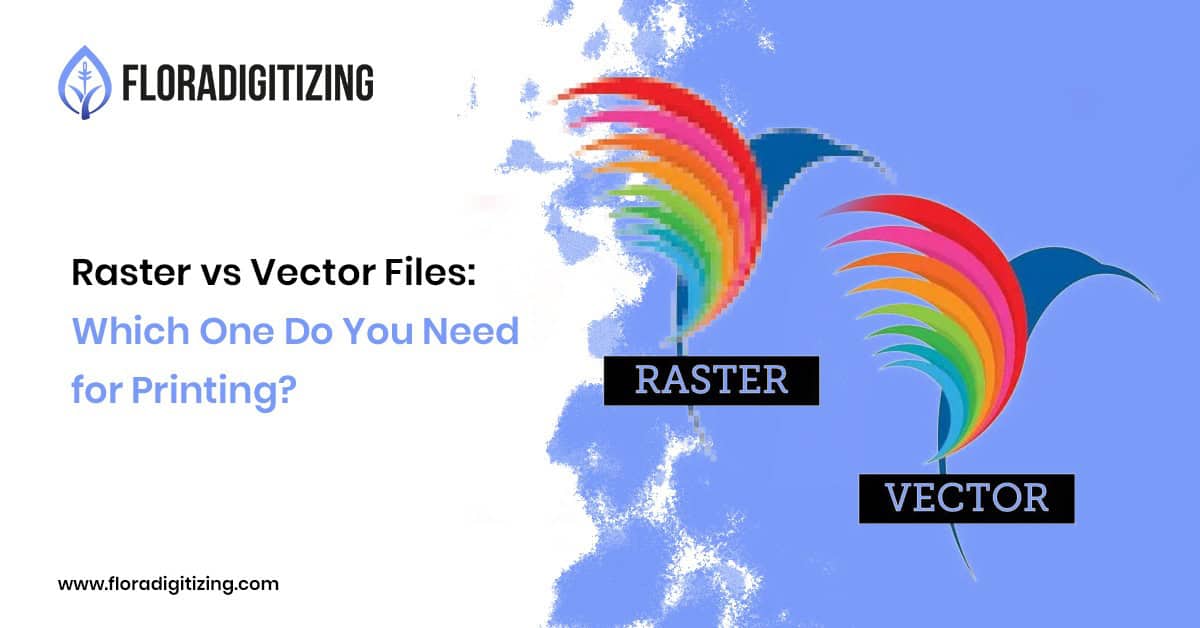
You have a logo or design that looks perfectly clear on your computer, but when you send it to a printer, the result comes back blurry, pixelated, or difficult to resize. What went wrong?
In many cases, the problem comes down to the type of artwork file you provided.
Understanding raster vs vector files for printing is important if you create logos, packaging, apparel, promotional materials, signs, or other branded products. The two file types store artwork differently, and that difference affects how easily your design can be resized and reproduced.
The simple answer is this: vector files are usually the better choice for professional printing when your design needs to be resized without losing quality. Raster files still have important uses, particularly for photographs and detailed images.
Let’s look at the difference.
What Is a Raster File?
A raster image is made up of individual pixels. Each pixel contains color information, and together those pixels create the complete image.
Common raster formats include:
- JPG
- PNG
- GIF
- TIFF
Photographs are a common example of raster artwork because they contain many colors, shadows, textures, and subtle details.
The main limitation appears when you enlarge a raster image beyond its intended resolution. Because the image is made from a fixed number of pixels, stretching it too far can make edges look jagged or blurry.
For example, imagine you have a small JPG logo that looks fine on your laptop. If you try to enlarge that same file for a large banner, the edges may become noticeably pixelated.
What Is a Vector File?
A vector file uses mathematical paths, curves, points, and shapes rather than a fixed grid of pixels.
Common vector formats include:
- AI
- EPS
- SVG
- CDR
- PDF in certain workflows
Because vector artwork is built from scalable shapes, it can generally be enlarged or reduced without the same pixelation problems associated with raster images.
That makes vector artwork particularly useful for logos, icons, illustrations, typography, signage, packaging, and other designs that may need to appear at different sizes.
If you want to understand why businesses rely on this type of artwork, our guide explains why vector art is important for printing and branding.
Raster vs Vector: What’s the Main Difference?
The easiest way to remember the difference is:
Raster = pixels
Vector = scalable shapes
Here’s a practical comparison:
| Feature | Raster | Vector |
| Built from | Pixels | Paths and shapes |
| Resizing | Can lose quality | Usually remains sharp |
| Best for | Photos and detailed images | Logos, icons, illustrations |
| Common formats | JPG, PNG, TIFF | AI, EPS, SVG, CDR |
| Large-format printing | Depends on resolution | Generally well suited |
| Easy editing | Depends on software | Elements can often be edited individually |
Neither format is automatically “better” for every situation. The right choice depends on what you’re printing and what the artwork contains.
When Should You Use a Vector File for Printing?
A vector file is usually the better option when you’re printing artwork that needs to remain sharp at different sizes.
This includes:
Logos
A company logo may appear on a business card today and a large sign tomorrow. Keeping a vector master file makes those different applications much easier.
Business Branding
Brand elements such as icons, typography, and simple illustrations often benefit from vector artwork because they need to remain consistent across different materials.
Apparel Artwork
If your artwork will be used for shirts, uniforms, promotional products, or other branded apparel, having clean, scalable artwork gives your production team more flexibility.
Signs and Large Graphics
Large-format graphics often require artwork that can be scaled significantly. A suitable vector file can make this process much easier.
When Is a Raster File the Better Choice?
Raster files aren’t bad files. They’re simply designed for different purposes.
A high-resolution raster image can be appropriate for:
- Photography
- Product images
- Detailed textures
- Digital artwork with complex shading
- Certain print projects where the image is already at the required resolution
The key is resolution.
A high-resolution image may print beautifully at its intended size, while a small, compressed image may produce poor results when enlarged.
What Happens When You Send a Low-Quality Logo to a Printer?
Suppose your business has an old logo saved as a small JPG.
It looks fine when displayed at a small size on a website. But you now need it for a large trade-show banner.
Simply stretching the JPG doesn’t create new detail. Instead, the existing pixels become more visible.
You might see:
- Blurry edges
- Jagged curves
- Pixelation
- Soft-looking text
- Poor definition around shapes
This is why businesses often convert their existing raster logos into vector artwork before using them across multiple print applications.
Can a Raster Image Be Converted to Vector?
Yes. Raster-to-vector conversion can recreate an image as scalable vector artwork.
However, conversion isn’t always as simple as pressing an automatic “trace” button.
A clean conversion may require careful adjustment of:
- Shapes
- Curves
- Text
- Colors
- Line thickness
- Small details
- Overlapping elements
The goal isn’t merely to change the file extension. The artwork needs to be rebuilt in a format that can actually be edited, resized, and used for production.
If your current artwork is blurry or only available as a JPG or PNG, you can learn more about how vector conversion helps brands get print-ready artwork.
What File Should You Send to a Printer?
If your artwork is a logo or other scalable graphic, ask the printer which format they prefer. AI, EPS, SVG, and certain PDF files are commonly used in professional workflows, but requirements vary by printer and project.
For photographs, a high-resolution JPG or TIFF may be more appropriate.
The important thing is not simply having a particular extension. Your file should be suitable for the final printing process.
Don’t Confuse File Type With File Quality
One important point is that vector does not automatically mean better artwork.
A poorly created vector file can still contain design problems. Likewise, a high-resolution raster image can produce excellent print results when used at the appropriate size.
The real question is:
Does the artwork match the production requirements?
For a logo that needs to be used across business cards, packaging, signs, apparel, and digital platforms, having properly prepared vector artwork can provide much more flexibility.
Final Thoughts
Understanding raster vs vector files can save you from frustrating printing problems.
Raster files are excellent for photographs and other pixel-based images, while vector files are especially useful for logos, branding, illustrations, and artwork that needs to scale without losing sharpness.
If your business logo currently exists only as a low-resolution JPG or PNG, converting it into clean vector artwork may give you a more flexible, print-ready asset for future projects.
If you’re unsure what your artwork needs, Flora Digitizing offers professional vector art services to help turn existing artwork into usable production files.
FAQ
No. PNG is a raster format made from pixels. It can provide good image quality, especially with transparency, but it does not have the same scalability as vector artwork.
It depends on the project. Both are raster formats, and the required resolution matters more than simply choosing one over the other. For logos that need significant resizing, vector artwork is generally more flexible.
There isn’t one universal format. AI, EPS, SVG, and certain PDF files are commonly used, but the best choice depends on the printer and production workflow.
Yes. A JPG logo can be recreated as vector artwork through vector conversion. The complexity of the original design determines how much manual work may be required.
Not automatically. The artwork still needs to be properly prepared for the intended application, dimensions, colors, and printing process.
Need Print-Ready Vector Artwork?
Have a logo that looks blurry when enlarged? Flora Digitizing can help turn existing raster artwork into clean, scalable vector artwork. Explore vector art services or request a quote for your project.